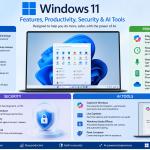
Master the latest features of Windows 11 and learn how to maximize productivity, enhance security, and leverage built-in AI tools for work, study, and everyday computing. This hands-on course is designed for beginners, professionals, students, and business users who want to confidently use Windows 11 and its modern capabilities.
What You'll Learn
Module 1: Getting Started with Windows 11
- Windows 11 interface and navigation
- Start Menu and Taskbar customization
- Settings and Control Panel
- File Explorer improvements
- Virtual Desktops and Widgets
Module 2: Productivity Features
- Snap Layouts and Snap Groups
- Microsoft 365 integration
- Focus Sessions and Do Not Disturb
- Voice Typing and Clipboard History
- Phone Link for Android and iPhone
- OneDrive cloud storage and synchronization
- Multi-monitor productivity tips
Module 3: Windows 11 Security
- Windows Security dashboard
- Microsoft Defender Antivirus
- Firewall and network protection
- Windows Hello biometric authentication
- BitLocker drive encryption
- Secure Boot and TPM 2.0
- Smart App Control
- Windows Update and device protection
- Privacy settings and permissions
Module 4: AI Tools in Windows 11
- Microsoft Copilot for Windows
- AI-assisted search and recommendations
- Live Captions
- Voice Access
- Windows Studio Effects
- AI-powered image creation with Paint
- AI productivity tips and best practices
Module 5: Performance & Maintenance
- Storage Sense and disk cleanup
- Startup optimization
- Task Manager essentials
- Backup and recovery
- Troubleshooting common Windows issues
- System Restore and Reset options
Module 6: Tips for Home and Business Users
- Remote work best practices
- Collaboration using Microsoft Teams
- Secure file sharing
- Device management
- Business productivity workflows
Course Features
- Step-by-step practical demonstrations
- Real-world productivity exercises
- Security best practices
- AI-powered workflow examples
- Downloadable learning materials
- Certificate of completion (where applicable)
Who Should Get This Course?
- Beginners
- Office professionals
- Students
- Teachers
- Small business owners
- IT support staff
- Remote workers
- Anyone upgrading to Windows 11
Learning Outcomes
By the end of this course, learners will be able to:
- Navigate Windows 11 with confidence.
- Improve productivity using built-in tools and shortcuts.
- Protect devices with Windows security features.
- Use AI-powered tools to automate everyday tasks.
- Optimize system performance and troubleshoot common issues.
- Work more efficiently in both personal and professional environments.